Best Paper Trading Software: 4 Platforms Compared
Compare TradingView, thinkorswim paperMoney, Interactive Brokers and Binance Demo Trading, including data limits, simulated-fill risks and practical reader fit.

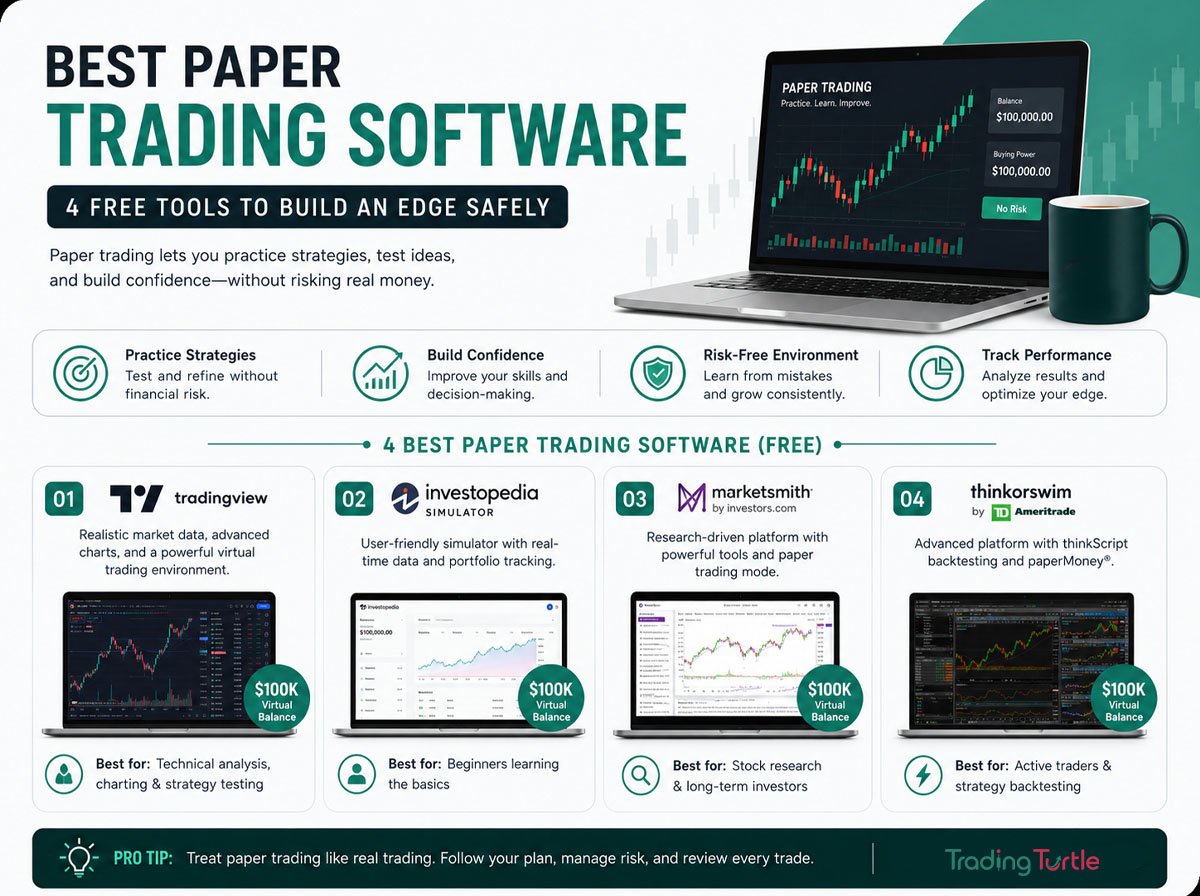
Direct answer: For free chart-led practice, TradingView offers paper trading to all users, but market-data and plan limits still matter. thinkorswim paperMoney and Interactive Brokers offer broker-style workflows, while Binance Demo Trading supports crypto practice. Compare account eligibility, regional access and simulated fills before choosing.
Education and risk disclaimer: This article is for educational purposes only and is not investment advice. Simulated performance does not guarantee live-trading readiness, future returns or profitability.
Affiliate note: This page contains affiliate links. We may earn a commission if you sign up through one, at no extra cost to you.
Paper trading can help you learn an interface, test a written process and practise risk controls without placing a real-money order. It is most useful when you record assumptions and treat every simulated fill critically. It cannot reproduce all the costs, uncertainty or emotions of live execution.
Quick Comparison
| Platform | Useful for | Important limitations to verify |
|---|---|---|
| TradingView Paper Trading | Chart-led practice across supported markets | Market-data entitlements, plan features and simulated fills vary |
| thinkorswim paperMoney | Practising a broker-style workflow and order entry | Access, products and data can depend on account eligibility and region |
| Interactive Brokers Paper Trading | Multi-asset brokerage workflows | Some order types and fills behave differently from live trading |
| Binance Demo Trading | Crypto spot-market practice in Binance demo environment | Demo assets are not real; features and availability may change |
Feature availability, market data, fees, eligibility and regional access can change. Confirm current details with each provider before relying on a simulator.
How We Compared the Platforms
- Market coverage and the type of workflow a reader can practise
- Transparency about data timing, fills, commissions and account limitations
- Order-entry, charting, journalling and reset capabilities
- Regional eligibility, plan restrictions and the path from simulation to live use
- Quality of first-party documentation and the clarity of risk limitations
Match the Simulator to Your Goal
A paper trading account is most useful when it resembles the decisions you expect to make later. Someone learning long-term stock orders does not need the same tools as a crypto trader practising short time-frame entries. Start by writing down the market, typical holding period, order types and information you want to review after each trade. That short list will usually narrow the choice more effectively than a long feature comparison.
For example, a chart-focused learner may care about drawing tools, alerts and the ability to place an order directly from a chart. A person learning a broker platform may care more about bracket orders, order tickets, portfolio views and reports. A crypto learner may need an environment that follows the exchange interface closely enough to practise spot orders without confusing demo balances with real assets.
It also helps to decide whether you are testing a trading idea or learning a platform. Those are related but different jobs. A platform lesson asks whether you can enter, modify and cancel an order correctly. A strategy test asks whether a defined setup behaved consistently across a meaningful sample. Mixing the two can hide mistakes because an unfamiliar interface may affect the result.
What to Check Before Opening an Account
Read the provider’s current documentation before creating an account or paying for a plan. Confirm which markets are available, whether quotes are delayed, how commissions are represented and whether the simulator supports the order types you intend to practise. Check regional eligibility as well. A platform may be widely discussed online but unavailable, restricted or materially different in your country.
Free access does not always include every data feed or feature. Some simulators provide the interface without real-time exchange data, while others tie advanced tools to a brokerage account or subscription. That does not automatically make a free simulator unsuitable. It simply means your journal should record the data source and any delay so that you do not compare simulated entries with a live chart that used different information.
Privacy and account security deserve the same attention as trading features. Use the provider’s official website, check the address before signing in and avoid sharing credentials with third-party services that promise to improve simulated results. A practice account may contain virtual money, but the associated email address and personal information are still real.
TradingView Paper Trading
TradingView’s built-in Paper Trading account is convenient for readers who want to place simulated orders from charts and review positions in one interface. Its official Paper Trading guide explains the current controls and account behaviour.
Reader fit: chart-focused learners who want a simple practice environment. Check whether your selected market data is delayed or requires a separate entitlement, and remember that simulated fills may not reflect queue position, partial fills or fast-market slippage.
thinkorswim paperMoney
Schwab describes paperMoney as a simulated trading experience within thinkorswim. Review the official paperMoney overview for current access and feature details.
Reader fit: people who want to practise a detailed brokerage workflow. Eligibility, supported products and real-time data can depend on location, account status and the provider’s current rules.
Interactive Brokers Paper Trading
Interactive Brokers provides a Paper Trading Account for testing its platform with simulated funds. The provider’s paper trading documentation lists important differences from live trading.
Reader fit: learners exploring multi-asset brokerage tools and more complex order workflows. Some order types, executions and market-data behaviour are simplified or different in simulation.
Binance Demo Trading
For crypto practice, use the official Binance Demo Trading environment. Binance’s official Demo Mode documentation explains that demo assets are virtual and separate from real funds.
The demo environment is not an affiliate destination. If you want to open a regular account, you can create a Binance account. This is separate from Demo Trading, and availability depends on your location.
Using TradingView for a Structured Session
A simple TradingView practice session can begin with one watchlist and one saved chart layout. Mark the level that would invalidate the idea before placing the order, then calculate the position size from that distance. Enter the simulated trade only if the setup matches the written rules. After the trade closes, save a chart showing the entry, stop and exit. This creates a record that can be reviewed without relying on memory.
Avoid changing indicators, time frames and markets after every loss. The flexibility of a charting platform makes experimentation easy, but constant changes prevent a fair test. Keep the setup stable for a defined sample, then review whether the rules need adjustment.
Practising Broker Orders in paperMoney
A broker-style simulator is helpful for learning how an order moves from an idea to an order ticket. Practise selecting the correct symbol, quantity, order type, duration and price conditions. If the platform supports linked exits, learn how the stop and target respond when one side fills. Review the order history afterward rather than assuming the intended instruction was transmitted.
Options, futures and leveraged products require additional care. A simulator can make complex positions easy to open while hiding how margin, assignment, settlement, borrowing costs or liquidity can affect a live account. Use the education material provided by the broker and do not treat a successful virtual trade as evidence that the product is suitable for you.
Using Interactive Brokers Paper Trading
Interactive Brokers can suit readers who want to become familiar with a multi-asset workspace. Begin with the basic order types you understand and add complexity gradually. Check how the simulator handles market hours, currency, permissions and order status. If an order remains pending or fills at an unexpected price, investigate the reason instead of deleting it from the journal.
When comparing results, separate strategy performance from platform errors. An incorrect quantity, wrong contract, stale quote or misunderstood order condition is an operational mistake even if the final position happens to make money. Recording these errors is one of the practical benefits of simulation.
Using Binance Demo Trading
Binance Demo Trading is intended for practice with virtual assets in a demo environment. Keep it separate from a regular Binance account in your notes and bookmarks. Before each session, confirm that the page is the demo environment and that the displayed balance is not a real wallet balance. This simple habit reduces the chance of moving from practice to a live interface without noticing.
Crypto markets operate continuously and can move quickly, so a realistic exercise should include spread, volatility and liquidity checks. Test how limit and market orders behave in calm and fast conditions, and note when the simulated result appears unusually favourable. Do not increase virtual leverage merely because a reset is available. The purpose is to practise a repeatable risk process, not to maximise a demo balance.
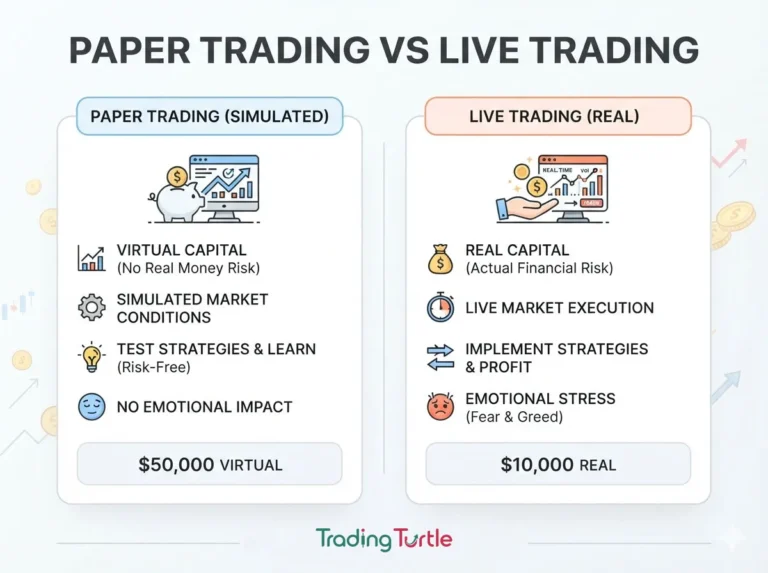
Limitations of Paper Trading
- Data: quotes may be delayed, simplified or subject to a paid market-data plan.
- Fills: simulators may not reproduce queue priority, rejected orders, partial fills or thin liquidity.
- Slippage and costs: spreads, price impact, fees, taxes and funding costs may be incomplete.
- Psychology: virtual losses do not create the same pressure as risking real money.
- Availability: products, features and account access vary by country and can change.
- Plan restrictions: chart history, alerts, data and order tools may depend on subscription or account level.
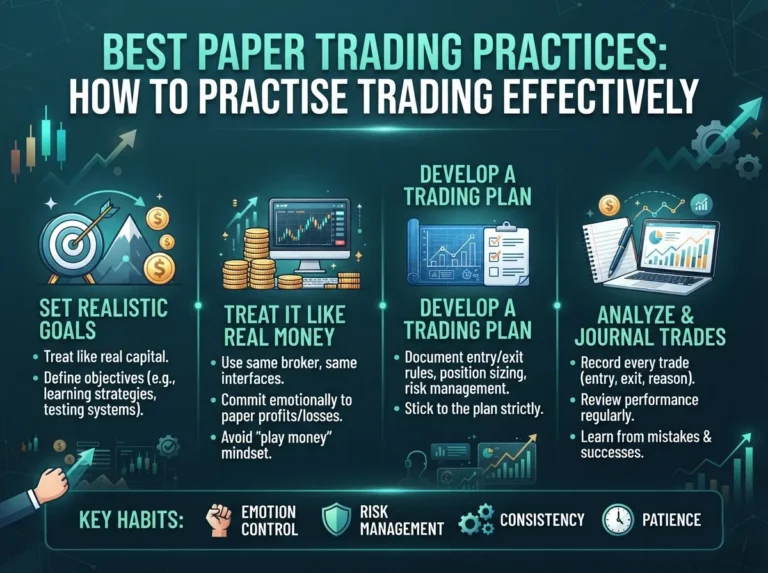
A Practical Paper-Trading Workflow
- Define one market, setup, time frame and maximum risk before you begin.
- Write entry, invalidation, stop-loss and exit rules that can be checked objectively.
- Use realistic position sizes, spreads, fees and slippage assumptions.
- Record screenshots, orders, rule violations and the reason for each decision.
- Review a meaningful sample across different market conditions; do not judge a system from a few trades.
- If you later trade live, start small and compare actual execution with your simulation journal.
A Worked Paper-Trading Example
Suppose a learner is testing a breakout setup on a liquid stock. The plan allows an entry only after price closes above a defined level, with a stop below the nearest invalidation point. The account model risks no more than one percent on a trade. Before entering, the learner records the entry level, stop distance, position size, expected fees and the market condition.
If the simulated order fills, the learner does not move the stop simply to avoid a loss. The trade is managed according to the written plan. At the end, the journal records the result in risk units rather than only currency. A loss of one planned unit and a gain of two planned units can then be compared across different prices and position sizes.
The review should ask whether the entry met the rule, whether the size was calculated correctly, whether the fill looked realistic and whether the exit followed the plan. A profitable trade with several rule violations is not a successful process trade. A controlled loss that followed every rule may provide more useful evidence.
Metrics Worth Recording
Useful records include the setup name, market, date and time, entry, stop, target, position size, estimated costs, realised result, maximum favourable movement and maximum adverse movement. Add a screenshot and one sentence about market conditions. For discretionary decisions, note what you saw before the trade rather than writing an explanation after the outcome is known.
Review results in groups instead of reacting to each trade. Win rate alone is incomplete because it ignores the size of wins and losses. Compare average gain, average loss, expectancy, drawdown and the percentage of trades that followed the rules. A small sample can be heavily influenced by chance, so describe conclusions as provisional until the setup has been observed across varied conditions.
Moving from Simulation to Live Trading
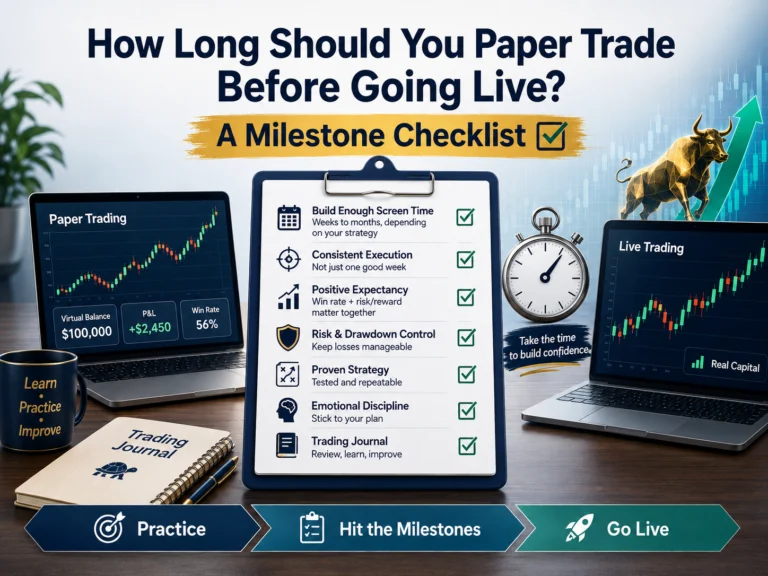
There is no universal number of paper trades that makes someone ready for live trading. A better question is whether the process is defined, consistently followed and understood. You should be able to explain the setup, calculate the risk, recognise invalid conditions and identify the ways live execution may differ from the simulator.
If you decide to trade with real money, reduce the size substantially and treat the first stage as a new test. Compare actual spreads, fees, slippage, partial fills and emotional responses with the paper-trading journal. If the live process breaks down, returning to simulation is a practical adjustment, not a failure. Capital preservation matters more than completing an arbitrary progression.
Common Mistakes
- Treating every simulated fill as achievable in a live order book
- Changing rules after each losing trade instead of testing a defined process
- Ignoring transaction costs, liquidity and market-data delays
- Using unrealistically large positions because no real money is at risk
- Assuming a profitable simulation guarantees future results
- Confusing a normal exchange registration link with a demo-trading destination
Key Takeaways
- Choose a simulator that matches the market and workflow you intend to learn.
- Verify current data, eligibility, order and plan limitations in first-party documentation.
- Use separate, accurately labelled links for Binance Demo Trading and Binance registration.
- Paper trading is a learning tool, not proof of profitability or readiness.
- A written journal and realistic assumptions matter more than an impressive virtual balance.
Frequently Asked Questions (FAQs)
The best choice depends on the market and workflow you want to practise. TradingView is convenient for chart-based practice, thinkorswim paperMoney and Interactive Brokers suit broader brokerage workflows, and Binance Demo Trading is designed for crypto-market simulation.
No. A simulator avoids direct financial loss, but it can still create false confidence. Data timing, fill assumptions, slippage, commissions, liquidity and the absence of real-money pressure can make simulated results look better than live execution.
No. The official Binance Demo Trading destination is provided as a separate, non-affiliate link. Trading Turtle’s Binance registration link is a different affiliate CTA and is labelled accordingly; registration does not mean you are opening the simulator.
Use a repeatable checklist rather than a fixed number of days. Consider live trading only after you have tested enough trades across different conditions, followed your risk rules consistently and understood where the simulator differs from real execution. Start live, if at all, with an amount you can afford to lose.
Simulators may use delayed or simplified data and optimistic fill assumptions. Live orders face spreads, queue position, partial fills, slippage, fees, liquidity constraints and real emotional pressure. Platform plans and regional availability can also differ.
No. Paper trading can test a process and help you learn a platform, but it cannot guarantee live-trading readiness, future returns or profitability. Treat results as evidence to investigate, not proof of an edge.